How to call API
Making API calls to the Nirmata Daemon and Wallet is easy, below we'll give you an example to help you get started building on Nirmata.
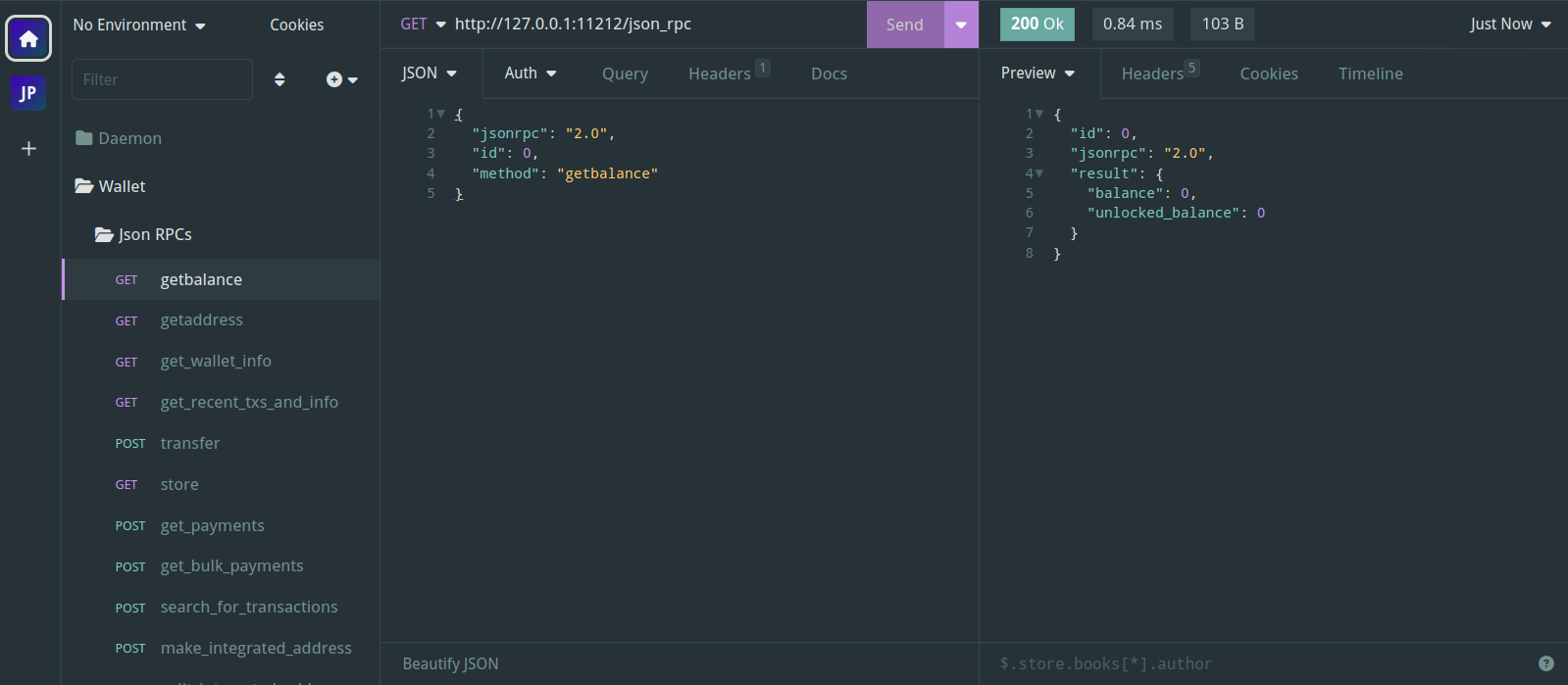
Using Insomnia
Insomnia is a program (similar to postman) that helps you design, debug, and test APIs, heres an example API call to the Nirmata Daemon using Insomnia.
Using NodeJS
Below is an example of the same API call using NodeJS:
const axios = require("axios");

async function callAPI() {
  try {
    const url = "http://127.0.0.1:11232/json_rpc";
    const requestData = {
      jsonrpc: "2.0",
      id: 0,
      method: "getinfo",
      params: {
        flags: 0,
      },
    };

    const response = await axios.post(url, requestData);
    console.log(response.data);
    // Process the response data as needed
  } catch (error) {
    console.error("Error:", error.message);
  }
}

callAPI();
Daemon and Wallet are two separate servers
The daemon and the wallet each expose their own JSON-RPC server on its own port, and each one only understands its own set of methods. A daemon method such as getinfo does not exist on the wallet, and a wallet method such as getbalance does not exist on the daemon — calling one on the wrong port returns a "method not found" error rather than a result.
The example above talks to the daemon. To call the wallet instead, point the same code at the wallet's port:
const url = "http://127.0.0.1:12233/json_rpc";
const requestData = {
  jsonrpc: "2.0",
  id: 0,
  method: "getbalance",
};
Summary
When running the Daemon and Wallet in RPC mode locally, whether using something like Insomnia or NodeJS or some other language, you access them with the following URLs:
Daemon: http://127.0.0.1:11232/json_rpc
Wallet: http://127.0.0.1:12233/json_rpc
Methods documented under Daemon RPC API go to the first URL, and methods documented under Wallet RPC API go to the second.
Have fun building on Nirmata!